
Inspector add-on
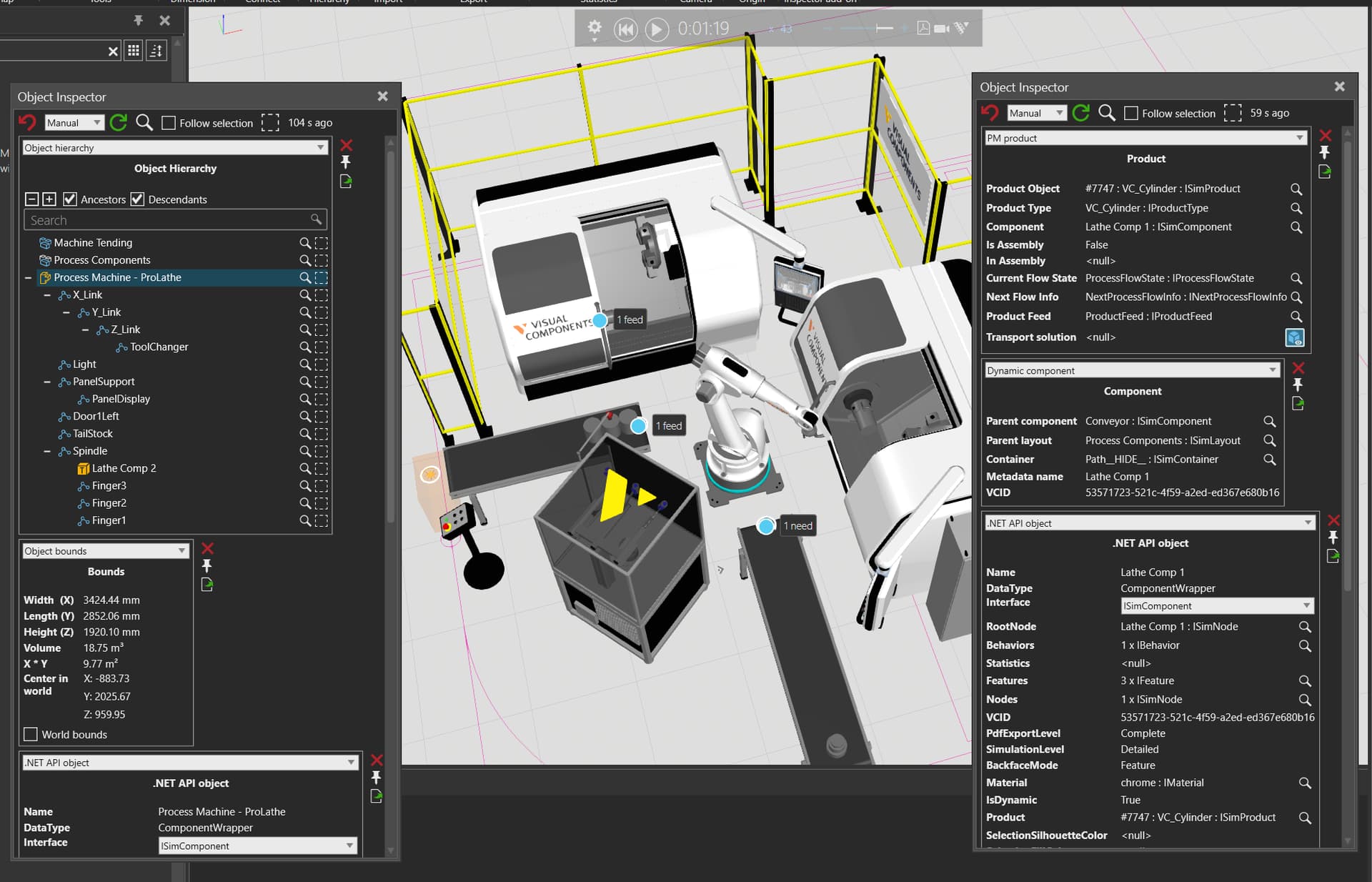
Make detailed simulation information easier to reach. Inspector fills practical gaps in the Visual Components user interface and user experience with focused tools for understanding layouts, objects, and runtime behavior.
A closer view of the simulation, without losing the layout you are investigating.
WHY INSPECTOR
See the details that are hard to reach.
Bring useful simulation context into view when the standard Visual Components interface leaves you searching across windows, objects, or properties. Some information is only available through the API and would otherwise require custom code to retrieve.
- Simulation contextProcess Modeling products, flow state, transport solutions, and product matching.
- Object understandingBounds, geometry, hierarchy, dynamic components, and component ownership.
- Deep inspectionSearchable properties, .NET API objects, collections, notes, and focused workflows.
GET STARTED
Download the Inspector add-on
Select the download that matches your Visual Components installation.
INSTALL ONCE
Install once. Inspector updates automatically.
- Download the selected add-on.
- Copy the DLL into your Visual Components installation directory.
- Start Visual Components. On the HOME tab, open Inspector from the Inspector ribbon group.
EXTEND THE INVESTIGATION
Bring AI into the same context.
Copilot Chat and the Inspector MCP server add capabilities that Visual Components does not provide natively.
KEEP GOING