
Inspector MCP tool access
Review the supported Inspector MCP tools and identify which operations read, change UI state, write files, or modify the live simulation or layout.
Read-focused tools
These operations inspect the current application and layout state. They do not edit the live layout when used as described here.
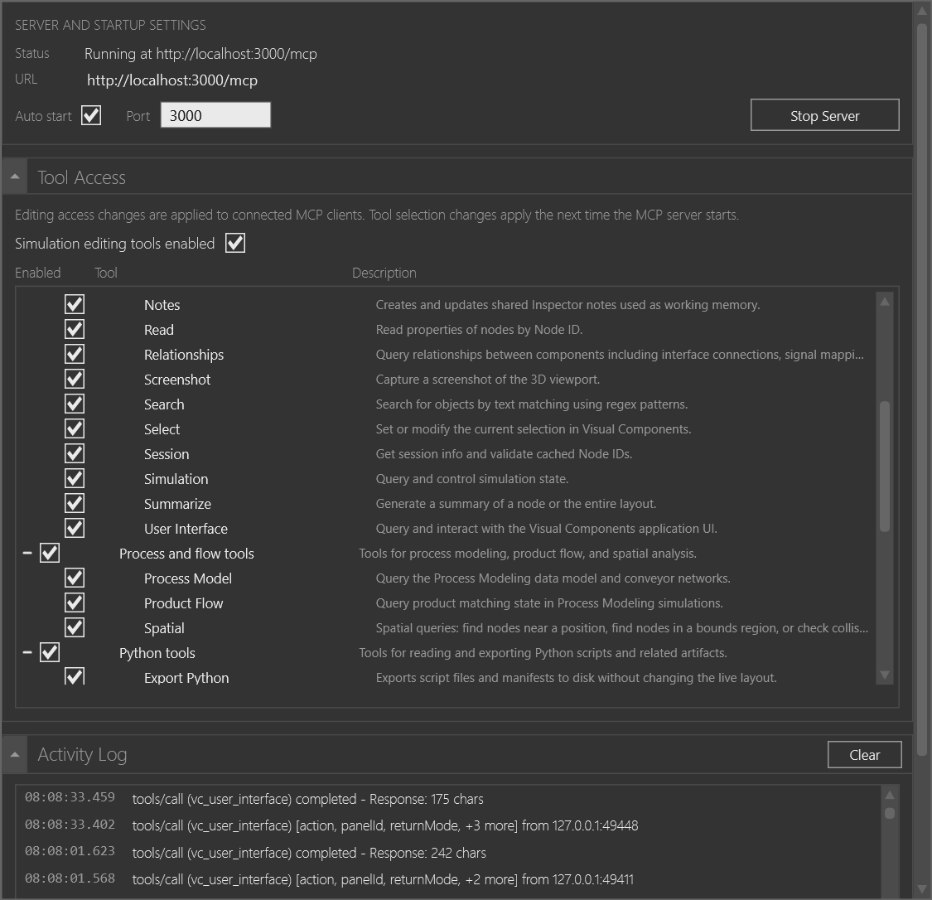
| Tool | What it answers |
|---|---|
vc_browse |
What children, behaviors, properties, interfaces, programs, or statements are related to a known node? |
vc_read |
What are a node's name, type, properties, state, transform, bounds, or text values? |
vc_session |
Which session is active, and are cached node IDs still valid? |
vc_summarize |
What is the high-level content of a layout or node? |
vc_search |
Which objects match a regular expression, preset, subtree, or continuation page? |
vc_find_by_type |
Which objects match an interface type, component category, ancestor scope, or property filter? |
vc_relationships |
Which parent, child, interface, signal, transport, process, or conveyor links surround a node? |
vc_messages |
Which Visual Components information, warning, error, or debug messages match a filter? |
vc_get_selection |
Which objects are selected in Visual Components? |
vc_geometry_statistics |
Which geometry is largest, densest, or most structurally complex, including optional shared-instance impact? |
vc_process_model |
What Process Modeling flow groups, routines, transport chains, resource roles, and conveyor networks are present? |
vc_product_flow |
Which products, needs, feeds, and product matches are active? |
vc_spatial |
Which nodes are nearby, inside bounds, or candidates for collision? |
vc_ecat |
Which catalog items match a query, and what are their catalog details? |
vc_python_scripts |
Which layout-owned Python scripts exist, and what do their descriptors or contents contain? |
vc_camera with get |
What is the current camera pose, projection, target, and gaze length? |
vc_screenshot with inline |
What does the 3D viewport look like without UI overlays? |
vc_user_interface with get_state or list_panels |
Which application context, ribbon tab, panels, and panel visibility state are active? |
vc_export_python is also enabled by default and does not mutate the live
layout, but it writes script files and a manifest to the requested workspace
path. Treat it as file output, not as a purely read-only response.
UI-state and working-memory operations
These operations can change the current Visual Components view or shared Inspector working state without being layout-edit operations:
| Tool | State-changing operations |
|---|---|
vc_select |
Replaces, adds, removes, or toggles the current selection. |
vc_goto |
Selects an object, can switch application context, opens relevant editors, and can focus the camera. |
vc_focus_mode |
Starts, stops, or changes a focus set that dims or hides unfocused objects. |
vc_camera |
set, focus, and preset change the 3D camera. |
vc_user_interface |
set_context and set_panel_visibility change application UI state; capture actions can also write an image when returnMode is saveToRoot. |
vc_screenshot |
saveToRoot writes an image file; inline returns image content without writing a file. |
vc_notes |
Lists and reads notes, but create, replace, dismiss, and resolve change shared Inspector working memory. |
The configuration UI currently groups several of these tools with read-only tools because their access metadata is about layout and simulation mutation. Use the operation itself as the safety boundary, not the group label alone.
Simulation, scripts, and layout edits
The Edit tools group can change the live simulation, layout, connectivity, or script behavior. The current configuration window describes these tools as able to modify simulation or layout state.
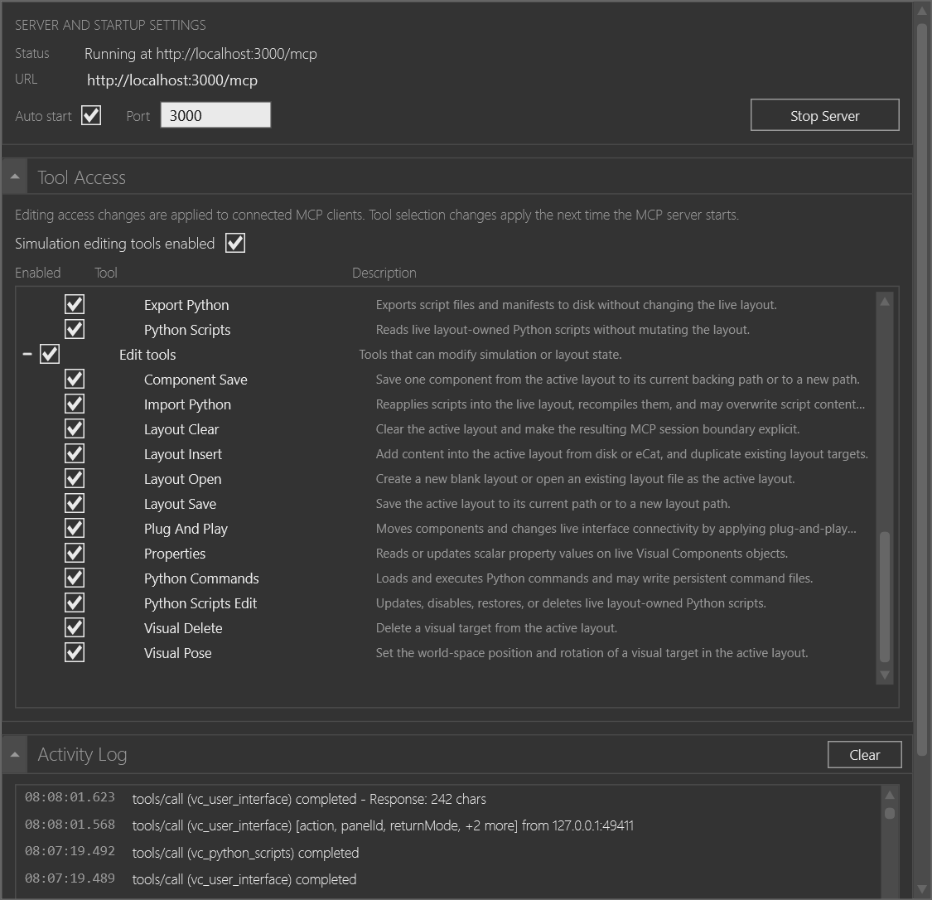
| Tool | Potential effect |
|---|---|
vc_simulation |
Starts, pauses, resets, configures, or advances the simulation. run_for and run_to block until their target or timeout. |
vc_properties |
get reads scalar properties, while set and set_batch update live object properties. The tool is edit-gated as a whole. |
vc_plug_and_play |
Inspects and previews interface matches, and can connect or disconnect live components. |
vc_python_commands |
Loads, executes, calls, persists, unregisters, reloads, and enables or disables application Python commands. It may write persistent command files. |
vc_import_python |
Reapplies exported Python files through direct or manifest mappings, potentially overwriting scripts or changing runtime behavior. |
vc_python_scripts_edit |
Creates, updates, disables, restores, deletes, or reorders layout-owned Python scripts. |
vc_layout_open |
Creates a blank layout or opens a layout file as the active layout. |
vc_layout_save |
Saves the active layout to its current or a new path. |
vc_component_save |
Saves a component to its backing path or a new path. |
vc_layout_clear |
Clears the active layout and establishes a new MCP session boundary. |
vc_layout_insert |
Adds content from disk or eCat, or duplicates an existing layout target. |
vc_visual_pose |
Changes a visual target's world-space position or rotation. |
vc_visual_delete |
Deletes a visual target from the active layout. |
These tools are not needed for a read-focused investigation. Do not enable them merely to answer a question about the layout. When edit-capable access is requested, Inspector shows a confirmation warning that calls out unexpected simulation changes, Python access to the PC or files, possible data loss, and the absence of automatic undo.
Access rules
- The server's tool metadata separates
ReadOnlyandEditaccess kinds. - Edit-capable tools are disabled until the Simulation editing tools enabled gate is active and confirmed.
- Individual tool checkboxes can further limit what the server exposes.
- Connected clients receive editing-access changes immediately; tool-selection changes take effect when the server starts again.
- A tool that is disabled is rejected when the client calls it, even if the client still has an older description cached.
Use Connect to the Inspector MCP server to change the server settings and Inspect a layout through MCP for a workflow that stays within the read-focused surface.