
Inspector gadget system
Choose an Inspector gadget that presents information suited to the object you are examining.
What you can do
Use a gadget to focus Object Inspector on one kind of information about the object you selected. Gadgets are individual views within Object Inspector. A gadget decides whether it can inspect the current object, so a view that does not apply to the selection does not provide inspection results.
Choose a gadget
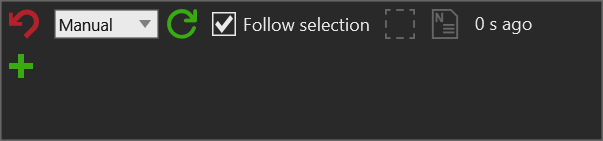
The empty Object Inspector still shows the controls shared by all gadgets:
- Use the mode selector to choose a gadget
- Select refresh to request current data from the active gadget, or choose an automatic refresh interval
- Keep Follow selection selected to inspect later layout selections
- Use the select control to make the inspected object the current VC selection
- Check the last-refresh indicator when comparing changing values
- Open Object Inspector and select an object in the active layout.
- In the gadget selector, choose the information type you need. The selector shows each gadget name and its description as a tooltip.
- Review the active gadget display. Choose another gadget to examine a different aspect of the same object.
Manage gadget cards
Each gadget card has its own selector and card actions:
- Select a different gadget type from the card selector. A gadget displays data only when it supports the inspected object.
- Select Add gadget to add a new pinned card, then choose its gadget type. A new card remains available when later selections do not support that gadget.
- Select the pin control to keep or release a card when the inspected object changes. Pinned cards remain visible and receive no compatible object when they cannot inspect the current target.
- Select Remove gadget to remove that card from the panel.
- Select Copy gadget to new panel to open a separate Inspector window containing only that gadget. The copied panel starts with the current inspected object and does not follow later selections automatically.
Use separate panels when you need to compare two gadget views without rebuilding the main gadget stack.
Available gadget types
The registered gadget types are:
- Object bounds for visual-object bounding information.
- Object hierarchy for simulation-object tree context.
- Property container for property-container contents.
- Dynamic component for simulation components.
- Geometry statistics for geometry rankings and complexity information.
- PM product and PM product matcher for Process Modeling product information and matching.
- .NET API object and .NET collection for inspectable .NET objects and collections.
Use the gadget whose question matches your investigation. For example, select Object bounds when checking the modeled size or world-space footprint of a component, then use Object hierarchy when the result suggests that a parent or child object may be contributing to the issue.
Result
The Object Inspector displays information when the selected gadget can inspect the current object. Select a different object or gadget to continue the investigation.