
Object Inspector overview
Orient yourself to the Object Inspector window and use it to begin examining a Visual Components layout.
What you can do
Use Object Inspector to begin examining an object in the active Visual Components layout. Inspector opens an Object Inspector window and can keep more than one Inspector window open at the same time.
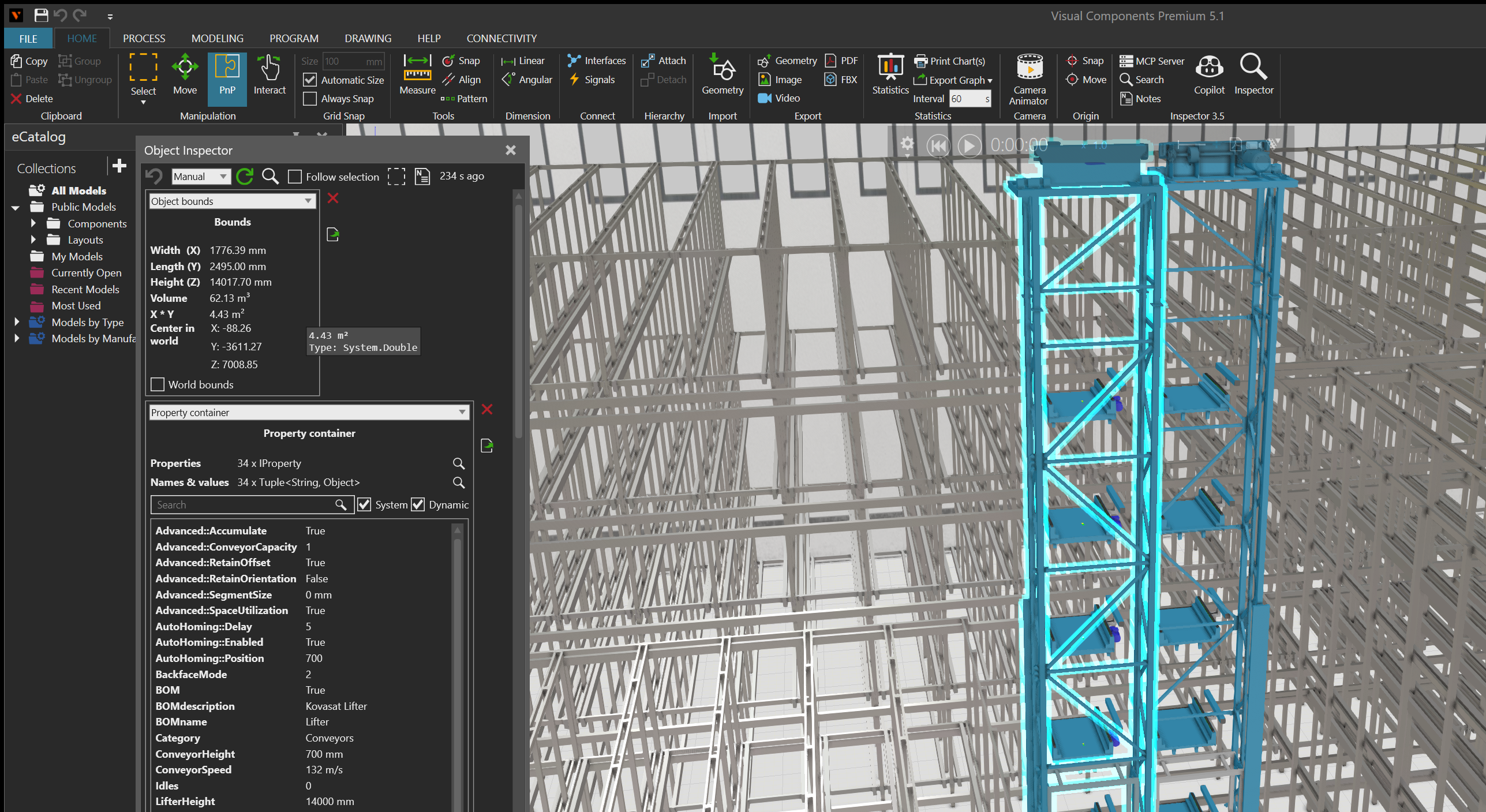
Start inspecting
- Open Inspector in Visual Components.
- Find the floating window named Object Inspector.
- Select an object in the active layout. A new Object Inspector is configured to inspect the active selection by default.
- Use the information shown for the selected object to continue your investigation.
Core controls
Use the panel controls to keep the inspection useful as the layout changes:
- Keep Follow selection enabled to inspect later VC selections automatically. Clear it to hold the current inspected object while you select another object in the layout.
- When follow mode is clear, use the magnifying-glass button to inspect the currently selected VC objects manually.
- Use the back button to return to a previous inspected object. The mouse back and forward buttons move backward and forward through the inspection history.
- Select the refresh button or press
F5to refresh the active gadgets. The refresh selector also supports500 ms,1 s, and5 sintervals instead ofManualrefresh. The elapsed-time label shows when the panel was last refreshed. - Use the select button to make the currently inspected object the VC selection. The button is unavailable when the inspected object is invalid or cannot be selected.
- Use the Notes button to create a Notes entry containing a reference to the currently inspected object.
See Compare inspected objects for a task-focused example of holding one reference while exploring another.
Result
The Object Inspector window identifies the object being examined and presents the Inspector content that applies to that object. Select another layout object to continue inspecting the active selection, or open another Inspector window when you need to keep a separate inspection visible.